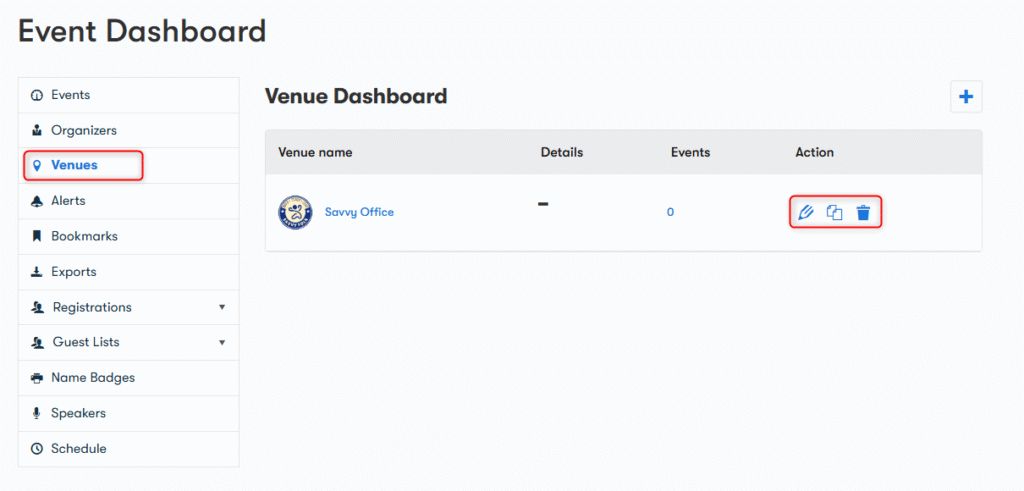
To access the organizers dashboard, here are the steps you need to take:
- Go to the Venue Dashboard.
- Click on the Venue option, present just under the Organizers at the left side of the page.
Here you can get the list of all Venues of the listed events and their details including the Venue names, details, events occurring in each venue and actions.
You will find the following options in the action section of each organizer.
- Edit: The pencil icon present in the action section allows you to edit a specific venue.
- Duplicate: the sheet icon present in the action section allows you to duplicate a venue.
- Delete: The bin icon present in the action section allows you to delete a venue.