1. Visit yay.xquare.net
Go to https://yay.xquare.ofiz.cloud and log in using your account
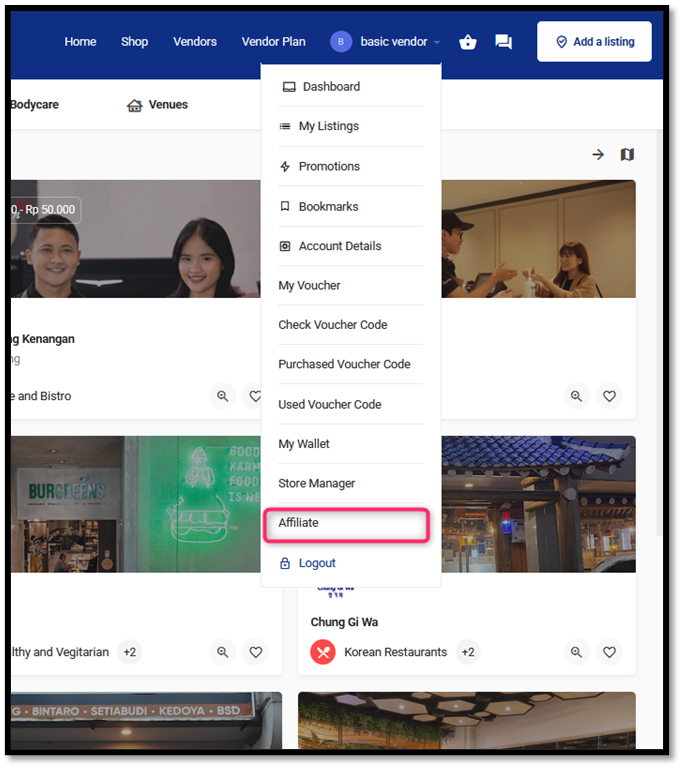
2. Access the Affiliate Menu
Once logged in, open the “Account Profile” menu and select “Affiliate.”
3. Complete the Registration Form.
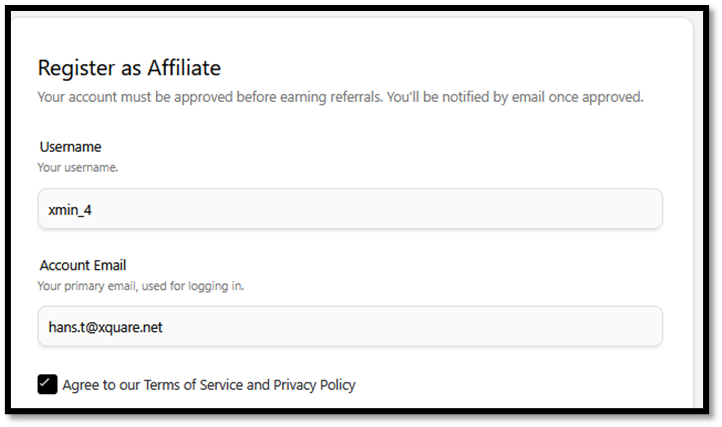
Fill out the Registration Form
- Username
Enter the username that will be used for the affiliate account. Example: xmin_4.
- Account Email
(Your email is automatically populated with your login account and cannot be changed.)
- Agree to Terms and Conditions
Check the box “Agree to our Terms of Service and Privacy Policy” as an agreement to the applicable policies.
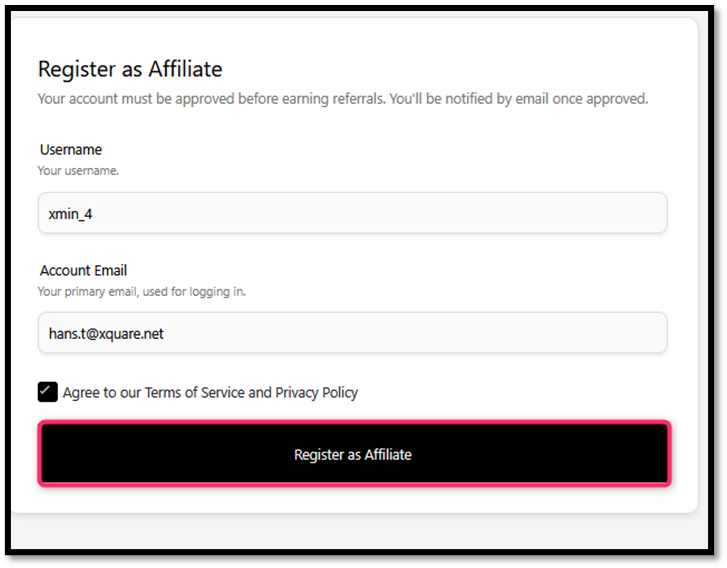
4. Click “Register as Affiliate”.
Press the black “Register as Affiliate” button to submit the registration request.
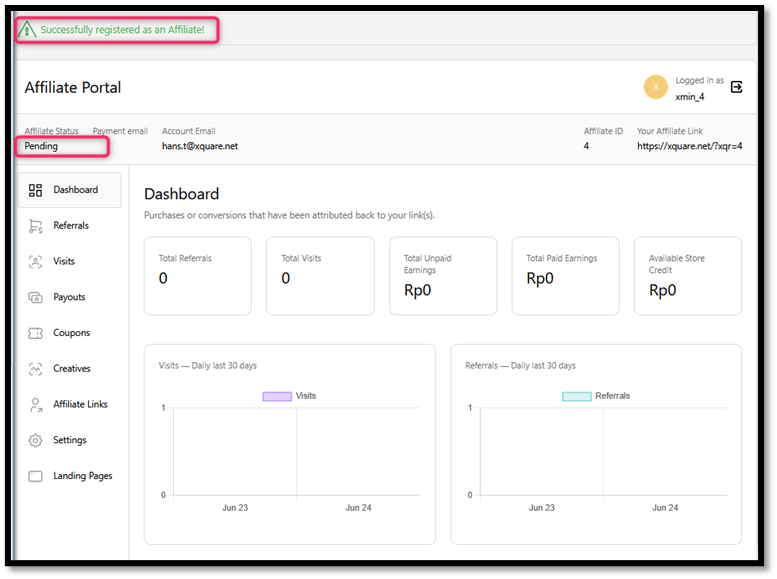
5. Your Account is Successfully Registered
After registering, a “Successfully registered as an Affiliate!” notification will appear at the top of the page. Your account status will appear as “Pending,” meaning it is still awaiting admin approval. Once approved, you can start earning commissions from your affiliate link.