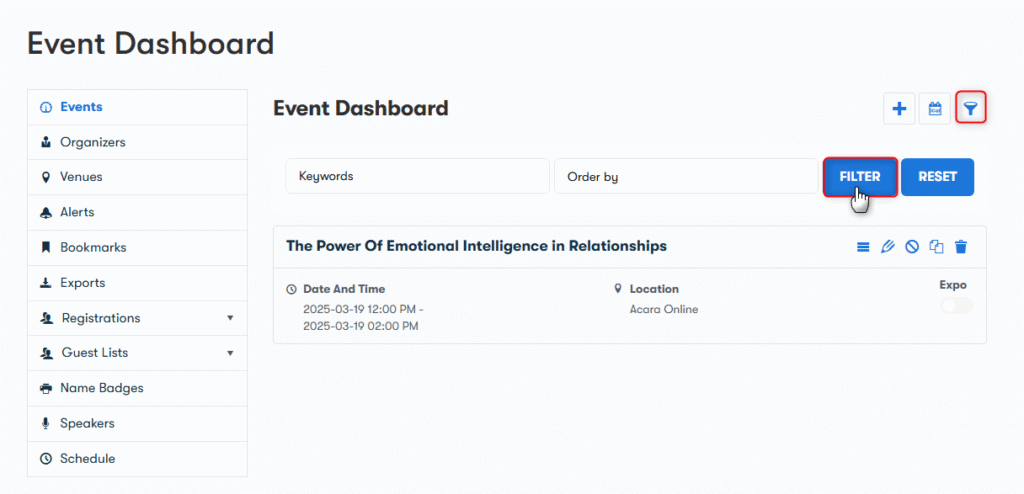
You can also filter events from the entire list of events present on the event dashboard.
To filter events and get the details of a specific event, you need to click on the Funnel icon present right beside the Event Dashboard.
By Clicking on the funnel option, you can see the following options on basis of which events will be filtered:
- Keyword: Type the name of the Event.
- OrderBy: Specify their order as per your requirement.