1. Visit Xquare.net
Go to https://yay.xquare.ofiz.cloud and log in using your account.
2. Access the Store Manager Menu
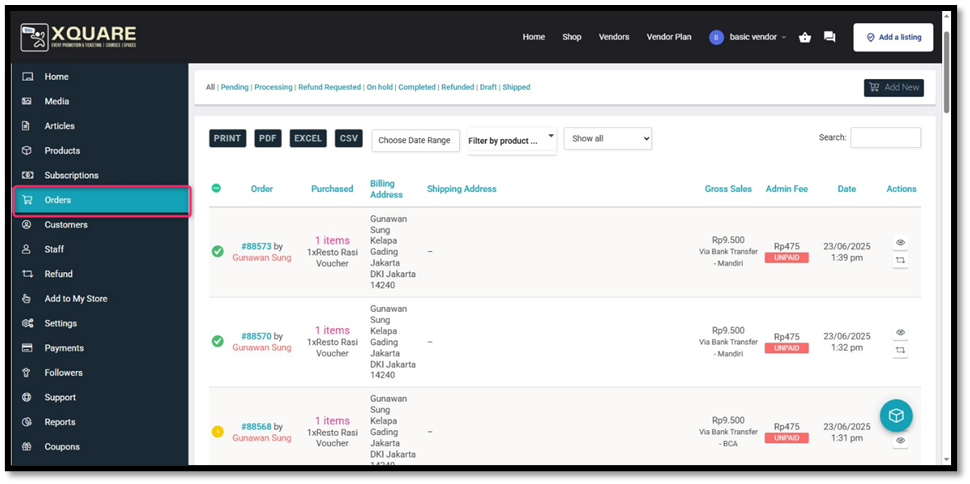
Once logged in, open the “Orders” menu.
On this page, you can see a list of all incoming orders:
- If the status is UNPAID, it means that the buyer has not made a payment or is still waiting for confirmation.
- If the status is PAID, the order is ready to be processed.
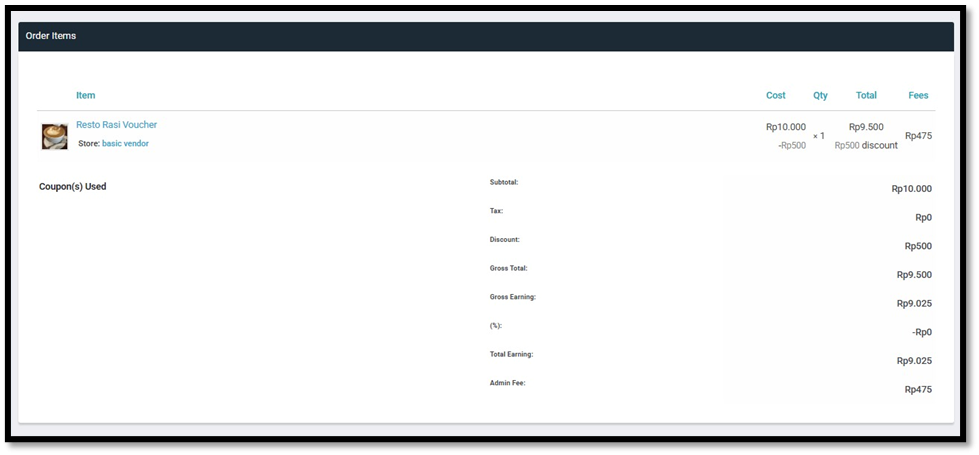
You can also view the order details by clicking on the eye icon in the action column.
3. View Order Details
To view more information about an order, click the eye icon on the order line you wish to check.