



1. Visit yay.xquare.net
Go to https://yay.xquare.ofiz.cloud and log in using your account.
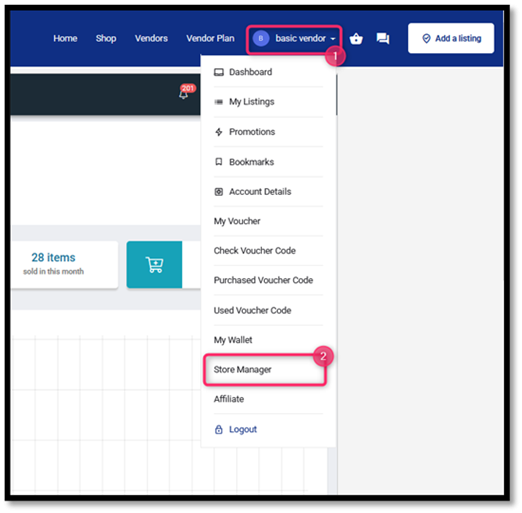
2. Access the Store Manager Menu
Once logged in, open the “Account Profile” menu and select “Store Manager.”
On the Store Manager dashboard, go to the “Products” menu to manage your product listings.
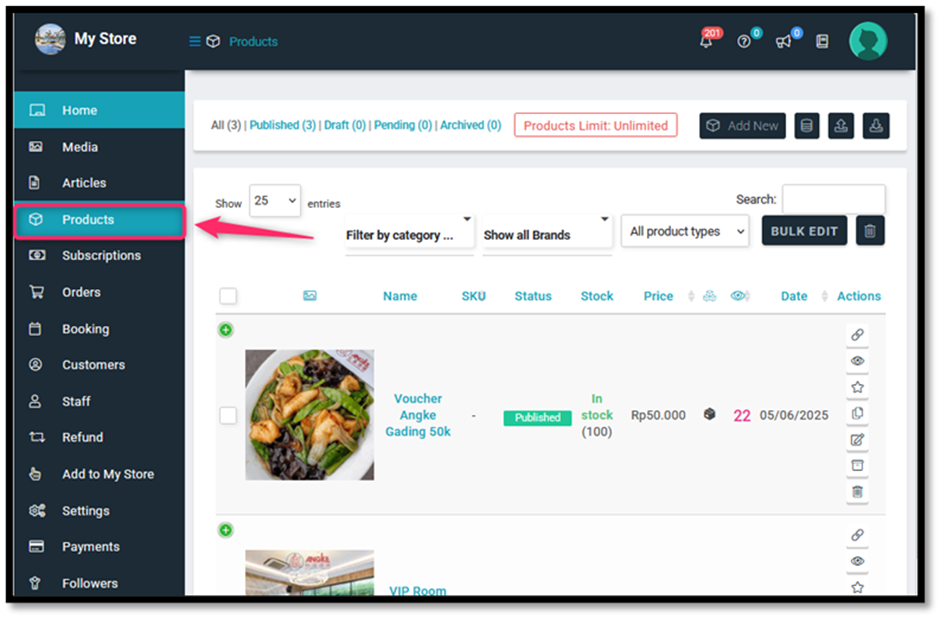
4. Click the “Commission” Tab
On the left side of the product edit page, click the “Commission” menu (with a money icon as shown in the image).
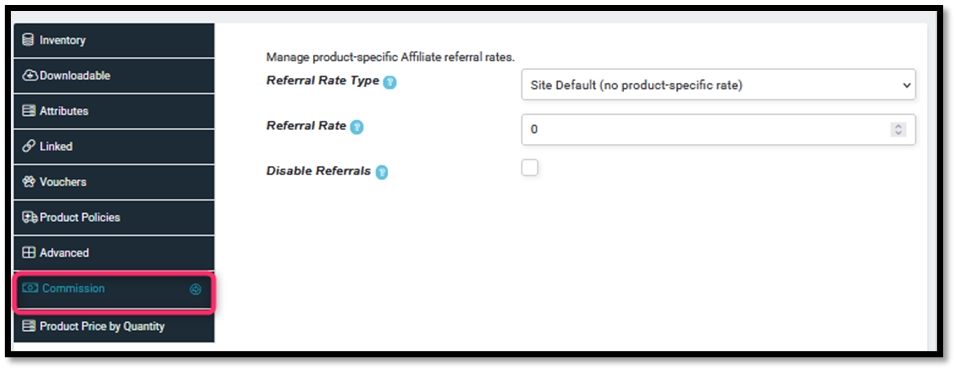
5. Select the Commission Type
On the right side, choose the commission type from the dropdown menu:
- Site Default = Follows the site’s global commission settings.
- Percentage = Commission as a percentage of the product price.
Flat = Commission as a fixed amount.
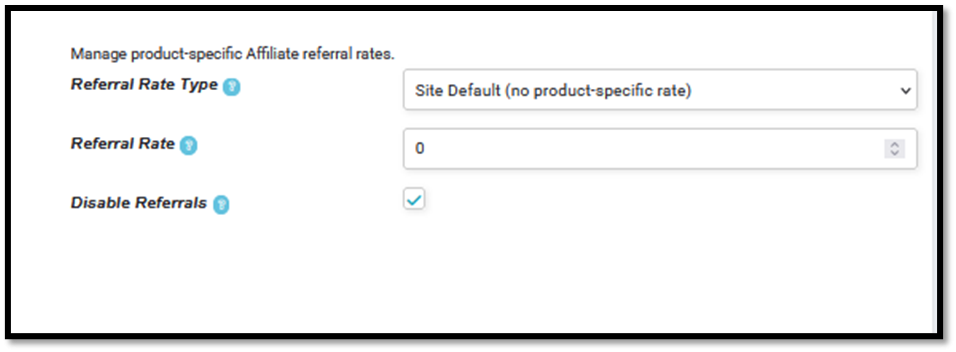
Enter the Commission Value (Referral Rate)
Fill in the percentage or fixed amount as desired (e.g., 10 for 10%).
(Optional) Disable Referrals
Check the “Disable Referrals” option if you don’t want this product to provide any referral commission.
6. Submit
Click the “Submit” button to save and activate your commission settings.


