



1.Visit Yayxquare.net
Go to https://yayxquare.net and log in using your account.
2. Access the Scan Voucher Menu
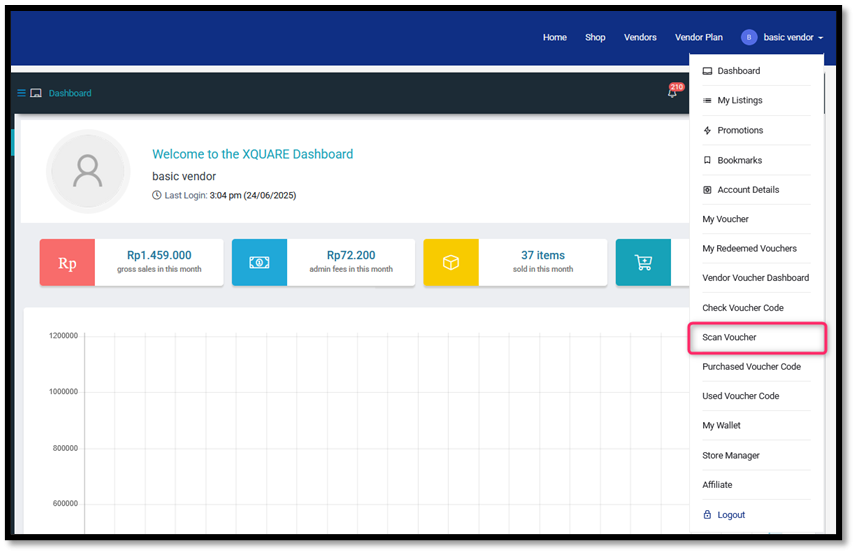
Once logged in, open the “Account Profile” menu and select “Scan Voucher.”
3. Select Location
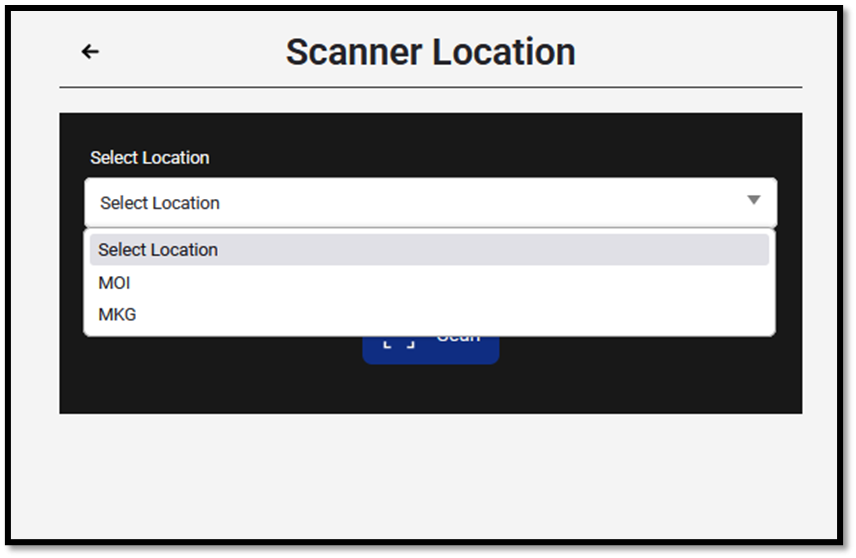
On the Scanner Location page, click the “Select Location” dropdown and select an available location.
4. Start Scanning
Once the location is selected, click the “Scan” button to start scanning the voucher.


