Go to https://yay.xquare.ofiz.cloud and log in using your account.
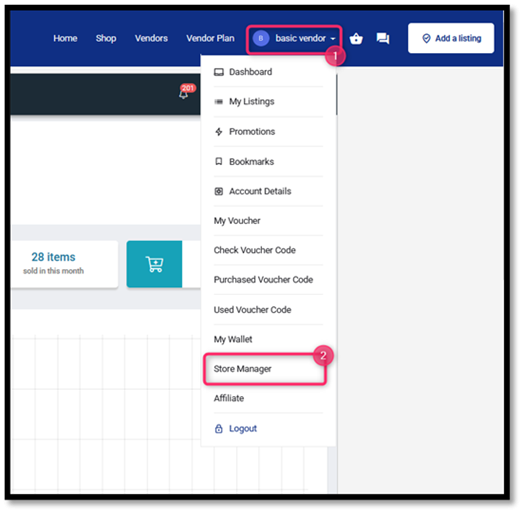
2. Access the Store Manager Menu
Once logged in, open the “Account Profile” menu and select “Store Manager.”
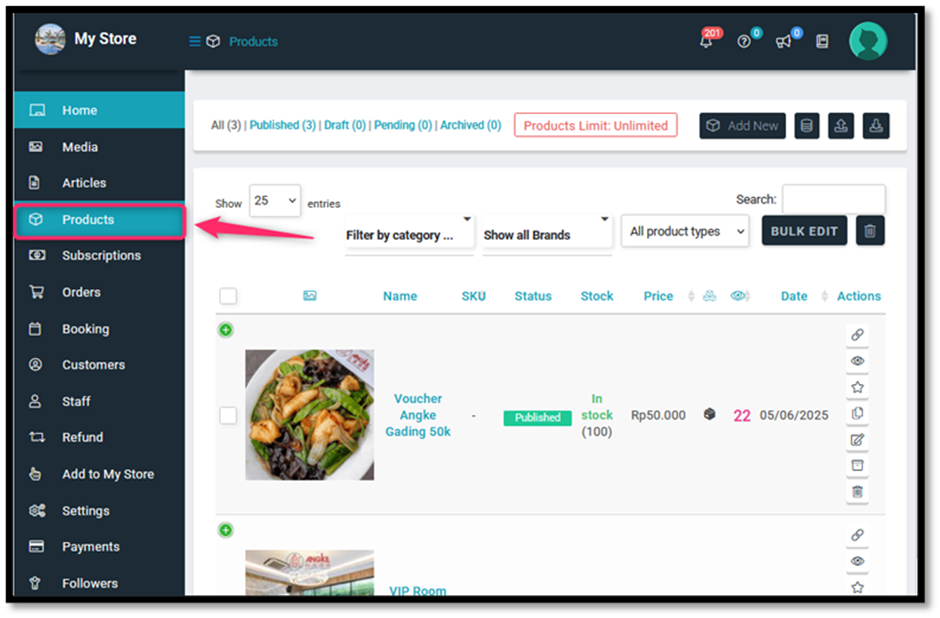
3. Access the Product Menu
On the Store Manager dashboard, go to the “Products” menu to manage your product listings.
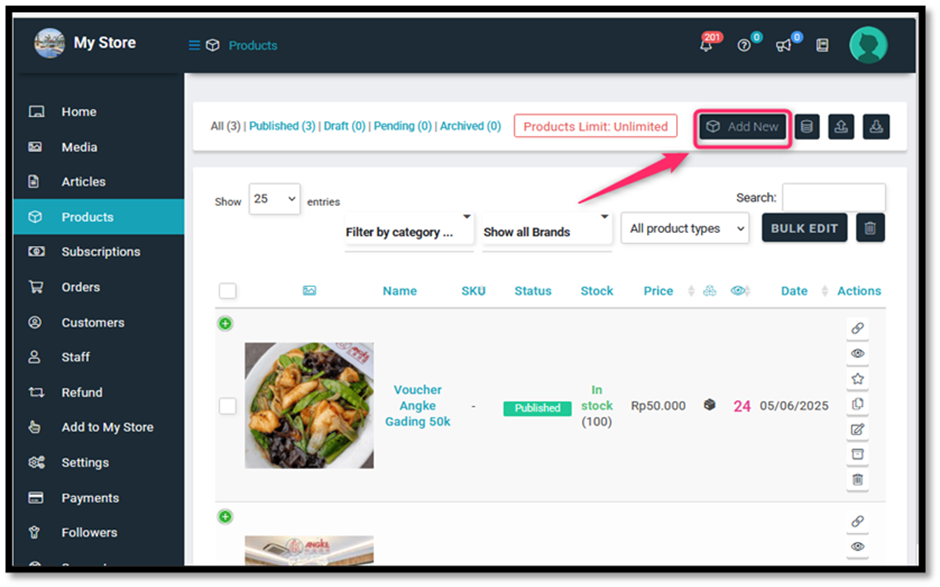
4Add a New Product
Click “Add New” to start creating a new product listing.
5. Fill in the Normal Price
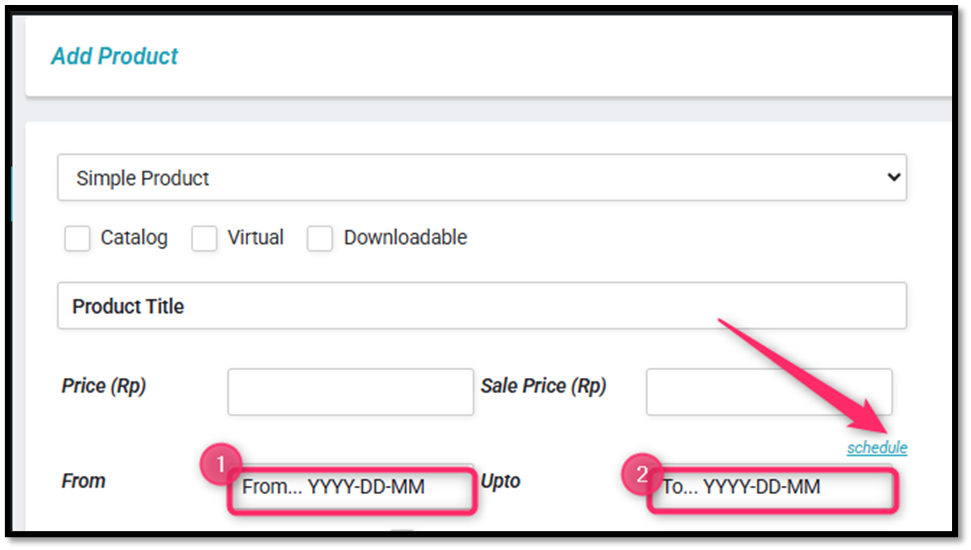
Enter the starting price of the product in the Price column (1). Then set the Sale Price (2).
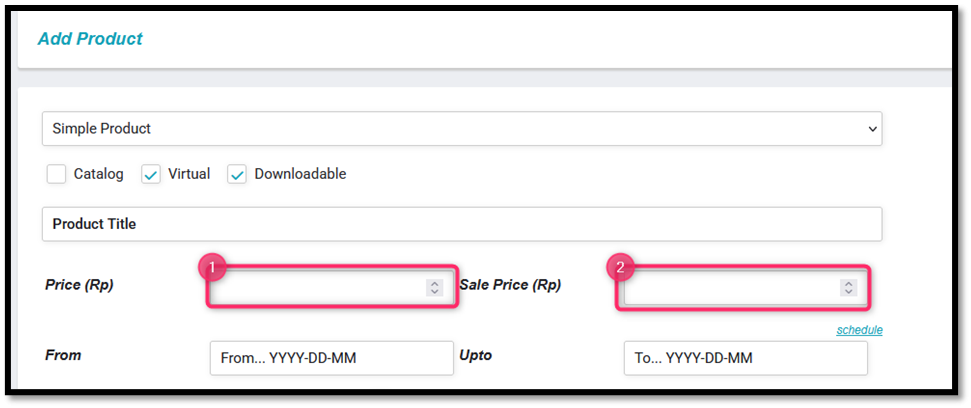
6. Set Sale Price Schedule.
Next, to set the sale product schedule, click the “Schedule” button, set your schedule.