



1. Visit Yay xquare.net
Go to https://yay.xquare.ofiz.cloud and log in using your account.
2. Access your Account Profil.
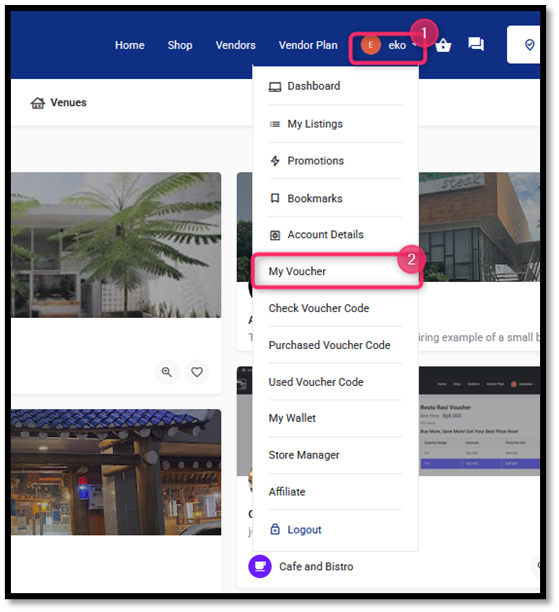
Once successfully logged in, open the “Account Profile” menu, then select “My Voucher” to view your list of available vouchers.
3. Locate the Voucher You Wish to Use
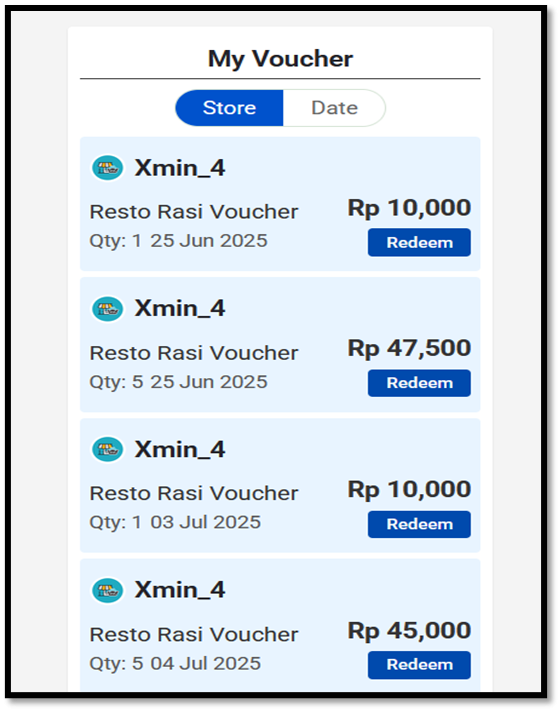
Browse through your vouchers and check the important details, such as: Store name, Voucher value (e.g., Rp 10,000 or Rp 47,500), Validity or expiration date.
4. Click the “Redeen” Butoon
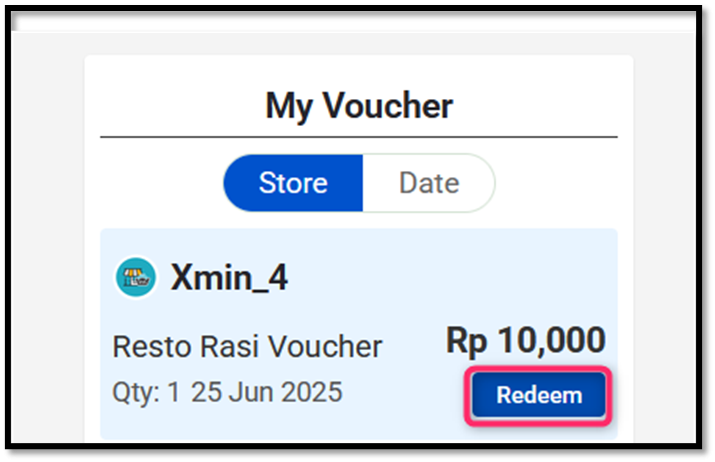
Click the Redeem button next to the voucher you wish to use. Ensure you are ready to use it, as each voucher can only be redeemed once.
5. Use Your Voucher.
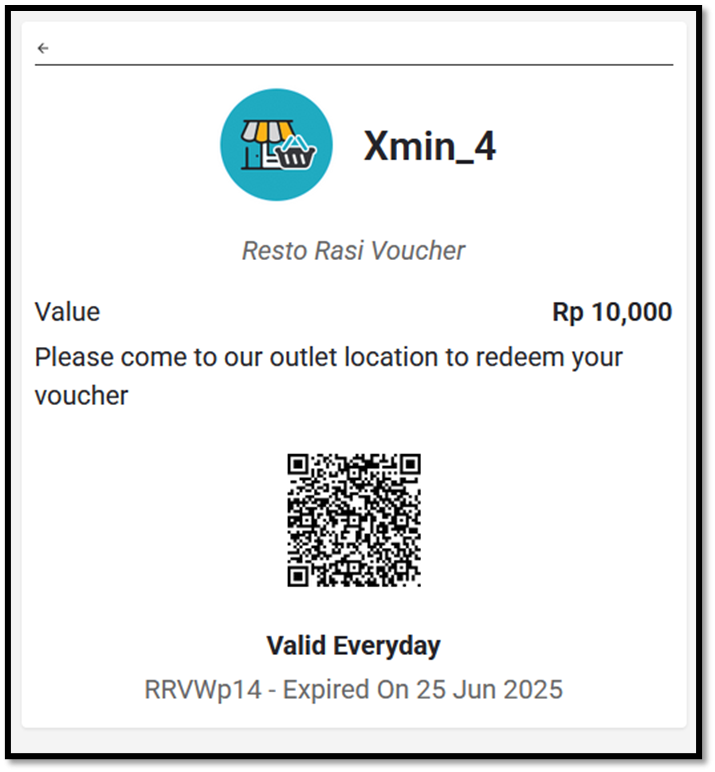
After redeeming, a voucher display will appear showing a QR Code. Visit the designated outlet (e.g., Resto Rasi) in person. Show the voucher screen to the cashier. Make sure:
- The QR Code is cleary visible
- The voucher value and validity period are readable
6. Voucher Is Applied.
The cashier will scan the QR code. Once verified, the voucher value will be automatically deducted from your total purchase amount.
IMPORTANT NOTES:
- Each voucher can be used only once and will be forfeited after redemption.
- Do not share the QR code with others before it is used.
- Vouchers are valid until the stated expiration date (e.g., 25 June 2025).
- Vouchers cannot be used online and are only valid for in-store redemption.


