1. Visit Yay.xquare.net
Go to https://yay.xquare.ofiz.cloud and log in using your account.
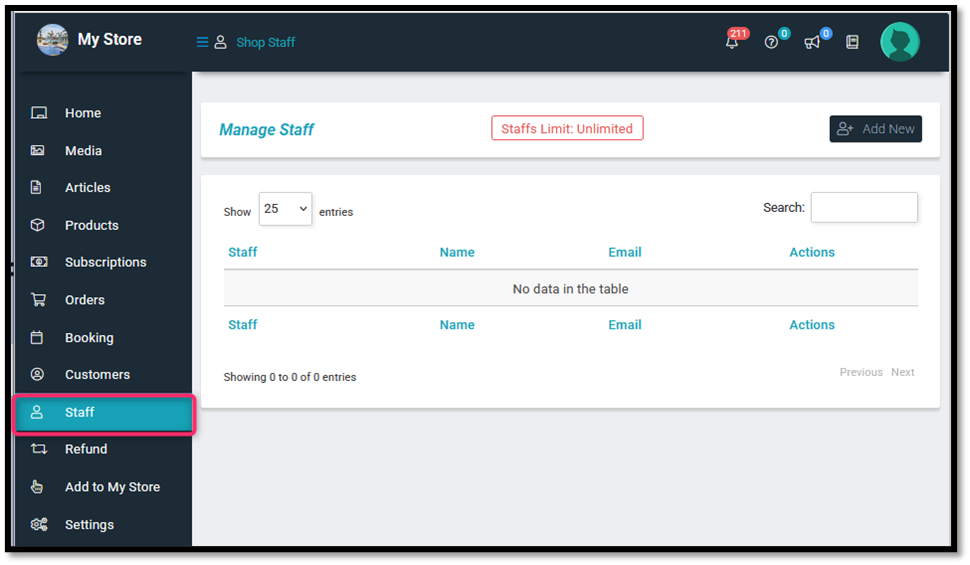
2. Access the Store Manager Menu
Once logged in, open the “Staff” Menu.
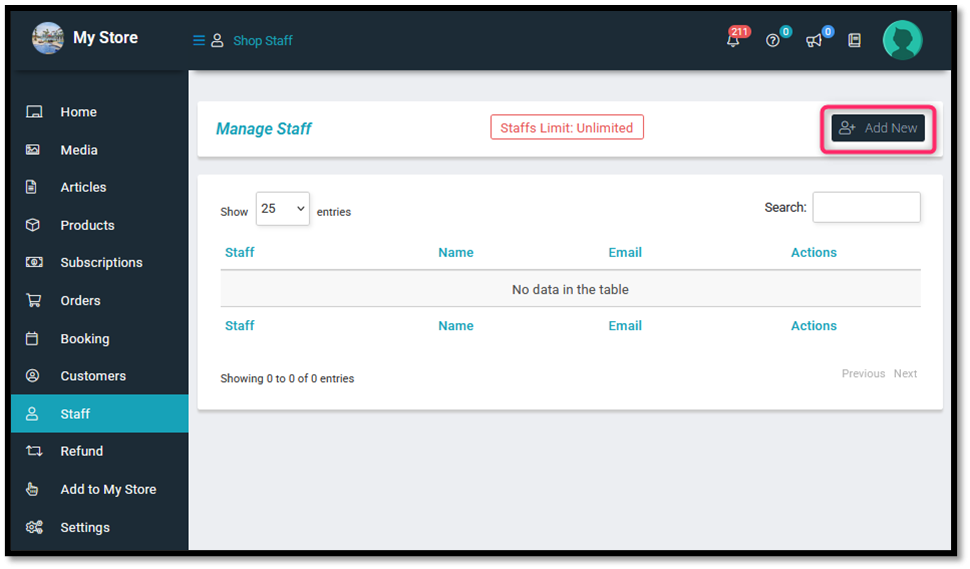
3. Add New Staff
Click on the “Add New Staff” option to begin adding a new staff member.
4. Fill in the Staff Information Form:
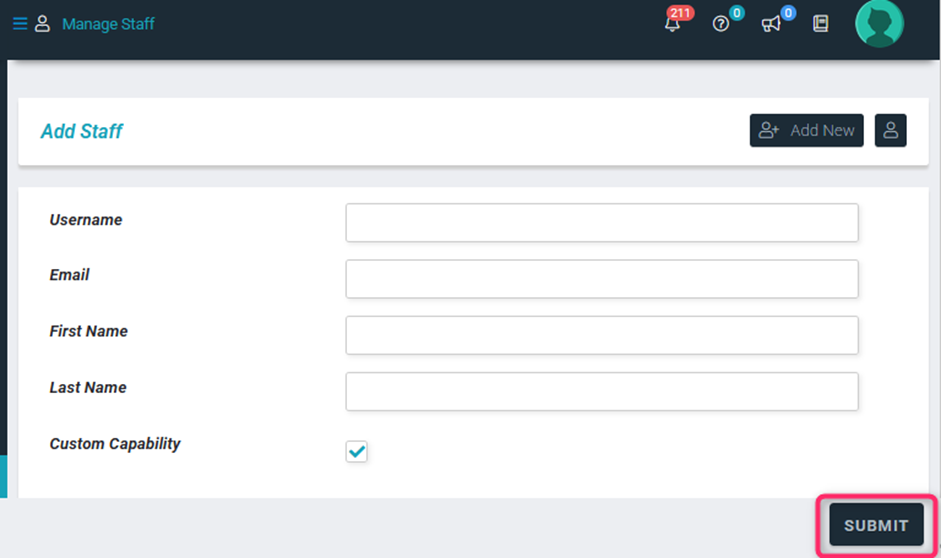
Provide the required details in the form:
- Username: Enter a unique username for the staff member.
- Email: Enter an active email address.
- First Name: Enter the staff member’s first name.
- Last Name: Enter the staff member’s last name.
- Custom Capability (optional): Check this box if the staff member requires a specific role or special permissions.
After completing all the required fields, click “Submit” to save the new staff member.