



Follow these four steps to get enrolled in our paid course:
- Step 1. Go to Course Page
- Step 2. Select the paid course you want to enroll

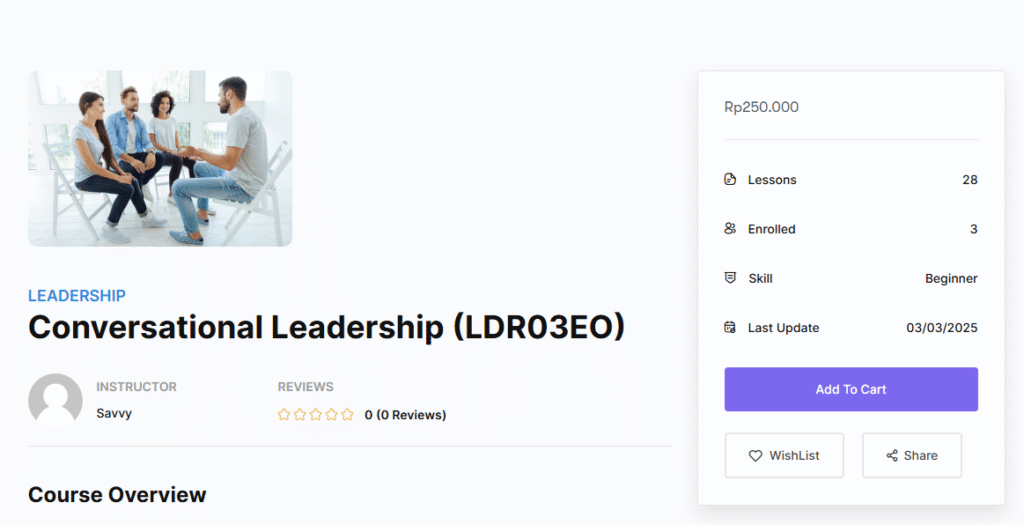
Step 3. From this page, click on Add to Cart, then click View cart.
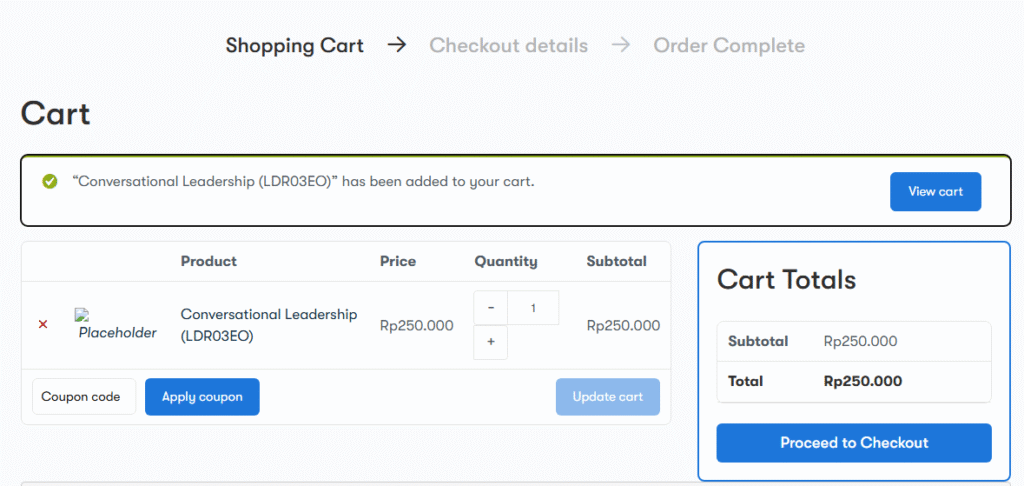
The checkout procedure will appear when you click the View Cart button. To finish the purchase of your chosen course, click the Proceed to Checkout button.
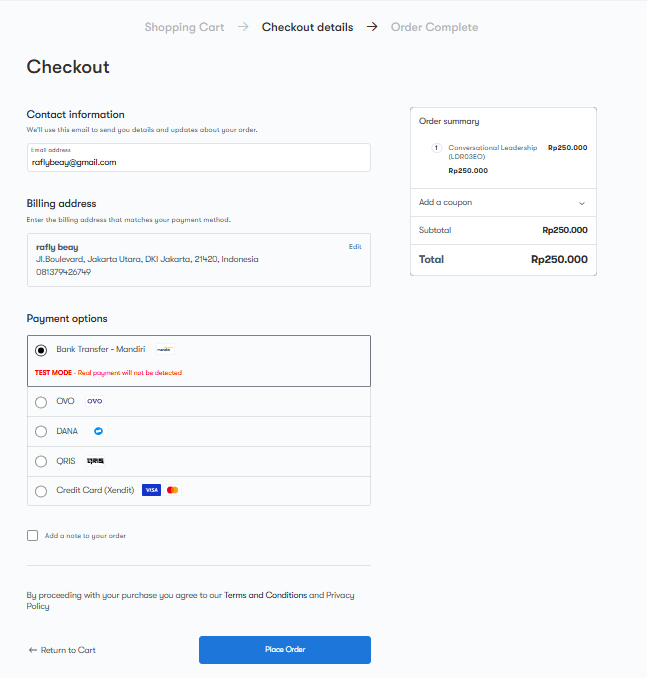
Step 4. You must now enter Billing information on the checkout page before placing an order to complete the transaction. After completing the billing information now click on the Place Order button and your paid course enrollment will be successful.
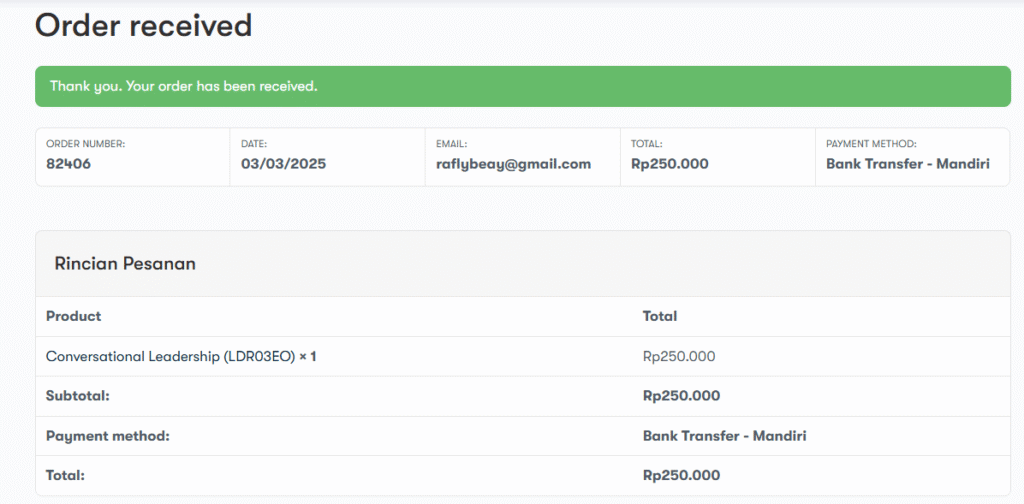
After clicking on place order, here you can see a successful message that your order is Received.
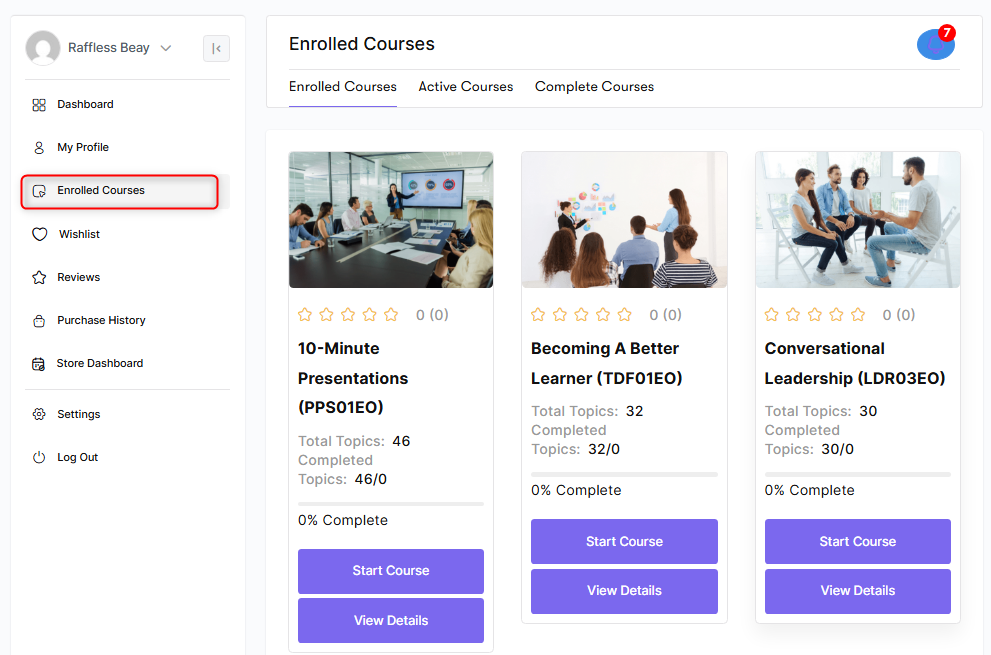
You complete all the processes of enrolling in a paid course. Now go to your dashboard and click on Enrolled Courses. Here you may not get any course, because it depends on the admin setting. If the purchase order is set to automatic from the settings, you can view the course immediately, or not it will take a few minutes.
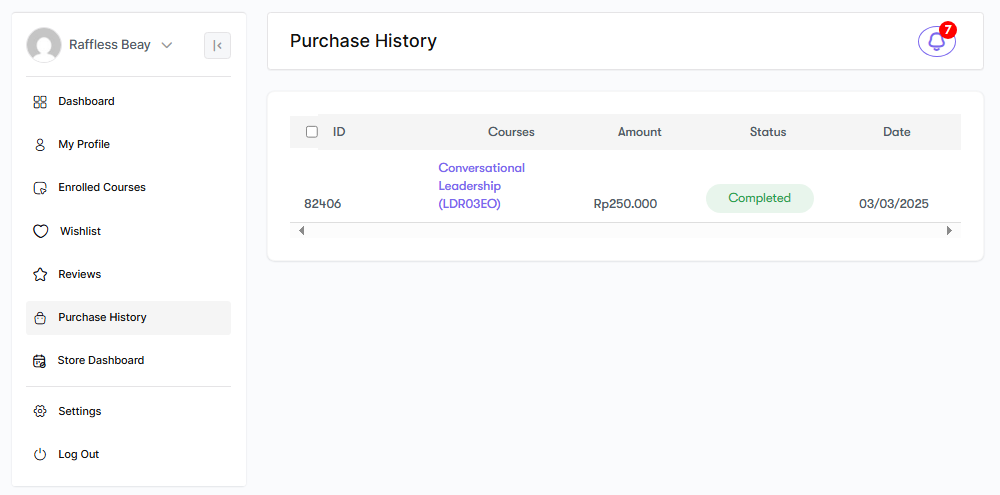
For acknowledgment, you can click on the Purchase History to view the purchase you have made that is complete, and the Status is Completed. This means the admin approved the request of your order; otherwise, it would show processing.
These are all the steps to enrolling in a paid course in Edu Hartabadi.


